
Undergraduate Student Services
While the main search tool and access to individual databases are found on the homepage, there are a lot of other information needs that are not fully met by a well-crafted search string, or even timely library instruction in classes with research components. This page should help undergraduate students located those bits of needed information, like how to use the search tools and craft a good search string, and other services that will be beneficial to their studies at Southeastern.
Reference and Research Assistance
The librarians provide reference and research assistance for all SE faculty, staff, and students. We have in-person options as well as remote connections to help us meet patrons at their research point of need.
In-person Services: The Reference Desk is manned from 9 am to 1 pm, Monday through Friday by a librarian. The Reference Desk is a walk-in service. There is a phone to take calls during the hours of operation; (580) 745-2935.
One-on-one research sessions can also be scheduled directly with a librarian. Full contact information can be found on the staff page.
Remote Services: Our remote Chat Reference widget makes connecting to a librarian just a few keystrokes away. During the main Fall and Spring semesters, the service operates:
Mondays through Thursdays – 8 am to 10 pm
Fridays – 8 am to 5 pm
Saturdays & Sundays – Closed.
Check library’s hours of operation during interim, summer sessions, holidays and breaks for changes to the schedule.
How to use the service: At the top of this page, you should see a yellow button that states “Chat with a Librarian.” Clicking on that button will open a new tab where you can fill in your name and question before starting your conversation with a librarian. This button can be found on several important pages on the library’s website. Below is an image of the button, so you will easily recognize it when navigating through our webpages.
Static image of the Chat Reference button, it is not a functional button.
Email: If you need to contact the library outside of hours of operation, email the librarians at askalibrarian@se.edu. The email account is monitored during closures and should get a response within 24 hours.
Online Tutorials and How to Guides
On the homepage, in the Quick Links section, there is a link to this same page. There are five short videos providing information ranging from what is a database to website evaluation. One of the most beneficial videos for students to watch might be the Advance Search Overview, as it will discuss Boolean Operators and phrase searching but also cover some more advanced search techniques that are not always able to be shown during live sessions.
Libguides
Librarians create research guides, often partnering with SE professors to curate web-based content, short information literacy instruction, and provide lists of library resources and databases that would be very helpful to students learning to conduct research in a specific field of study. We call them Libguides.
Please feel free to browse our libguide offerings by clicking the button below.
Textbook Reserves Program
The Textbook Reserves Program exists to help ensure students enrolled in general education undergraduate courses won’t fall behind due to struggling to obtain their required course materials in a timely fashion, which can cause them to irrevocably fall behind in their studies. To learn more about the program please visit the TPR webpage. Textbook Reserves Program.
Interlibrary Loan (ILL)
Interlibrary Loan is often simply called ILL. ILL allows libraries to request materials from or to supply materials to another library as a loan. The purpose of ILL is to obtain materials not available to a patron through their local or home library but still valuable to their research. These loans are initiated by request from the patrons.
You will know the library does not have access to a title when it shows “At other libraries worldwide.” You should always do your best to verify that SE library does not provide access before submitting a request.
Verifying access before requesting through ILL will make for a great research practice that will save you some time and effort in the long run. Many ILL requests can be made from the library’s search results when you see this black button appear next to the full record for a source.
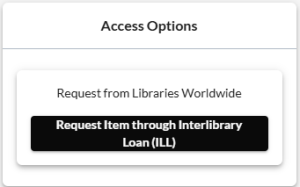
It will prefill in all of the citation information for the title, leaving you only to supply your own personal information on the form. It is possible to manually submit an ILL request either by stopping by the Circulation Desk and filling out a paper form or using the forms for article or book requests found on the Interlibrary Loan page.
